- Intelligent Label Design: Unifying barcode generation, RFID encoding, and dynamic text across compliant enterprise label templates.
- ERP Integration Pipeline: Direct bi-directional integration with Microsoft Dynamics 365, SAP, and custom database backends.
- Automated Print Execution: Utilizing Commander / Integration Builder with automated
.ddtrigger files for instant warehouse label printing. - Scalable Tiered Architecture: From single-workstation Starter editions to enterprise-grade centralized server deployments with audit logging.
- Guru Group Implementation Services: End-to-end template engineering, printer network mapping, high-availability architecture, and 24/7 SLA support.

Introduction to Enterprise Label Automation
In the realm of enterprise operations, precision, compliance, and automation are non-negotiable. BarTender by Seagull Scientific is a globally recognized labeling platform engineered to meet the complex demands of modern supply chains, manufacturing, healthcare, and logistics environments.
This article explores BarTender’s architecture, capabilities, and automated execution workflows, along with how Guru Group serves as an accredited implementation, customization, and support partner.

“Enterprise supply chain resilience depends on zero-error labeling. Automating BarTender directly from ERP business triggers eliminates manual operator error and guarantees regulatory compliance.”
What Is BarTender & Core Capabilities
BarTender is an intelligent label designing and automation platform that enables organizations to design, manage, and print barcode labels, packing slips, RFID tags, and smart cards. It integrates seamlessly with enterprise systems and supports full compliance with global standards (GS1, FDA UDI, GHS, and EU MDR).
Key Capabilities:
Intelligent Templates
Single unified design files dynamically adjusting layout and fonts based on conditional data rules.
Dynamic Barcoding & RFID
Native support for 1D, 2D (QR, Data Matrix), and RFID EPC Class 1 Gen 2 encoding.
Enterprise Integration
Live data connectivity with Microsoft Dynamics 365, SAP, Oracle, SQL Server, and REST APIs.
Secure Administration
Role-based user permissions, electronic signatures, audit trails, and version control.
BarTender Software Edition Overview
BarTender is offered across four modular tiers to accommodate varying organizational scales:
- Starter Edition: Basic dynamic label design and barcode generation for small teams with local spreadsheets.
- Professional Edition: Data-driven printing connecting to external databases, custom data entry forms, and RFID encoding.
- Automation Edition: Server-based automated printing triggered by transactional system events, TCP/IP sockets, or drop-file folders.
- Enterprise Edition: Comprehensive centralized management, global web printing via browser, electronic signatures, and failover clustering.
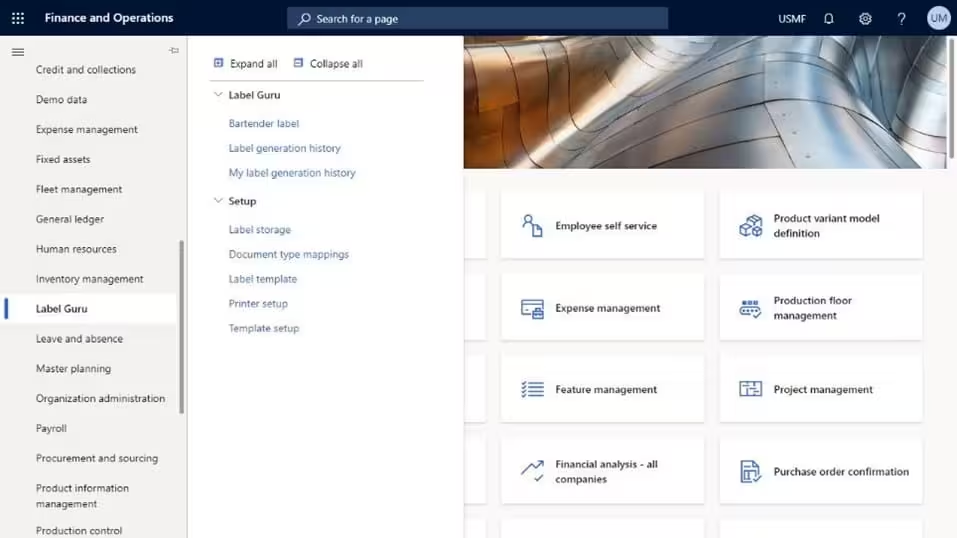
Creating Dynamic Labels in BarTender Designer
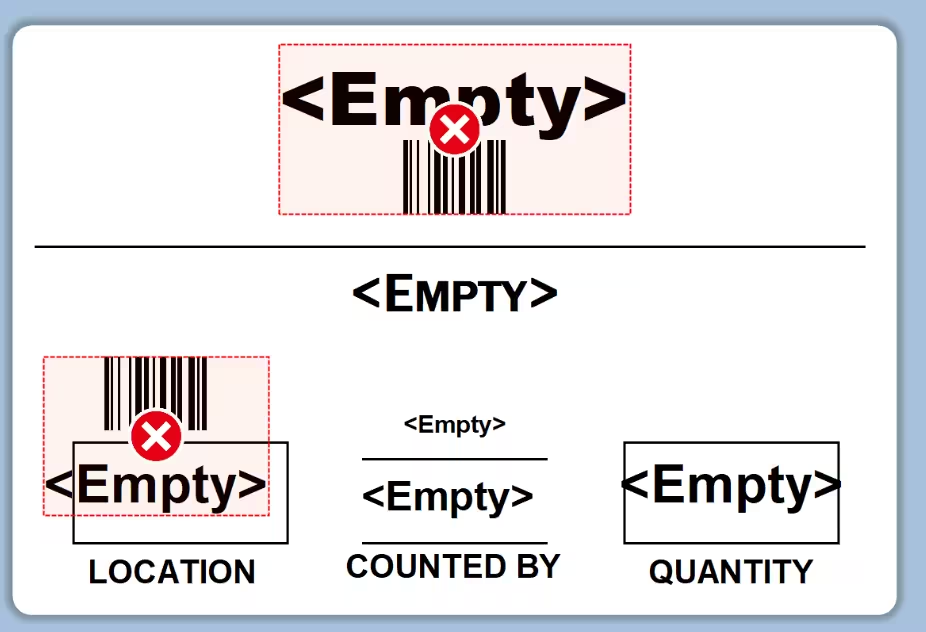
BarTender Designer features a clean visual workspace for building compliant industrial labels with dynamic data bindings:

Automated Label Execution via .dd Trigger Files
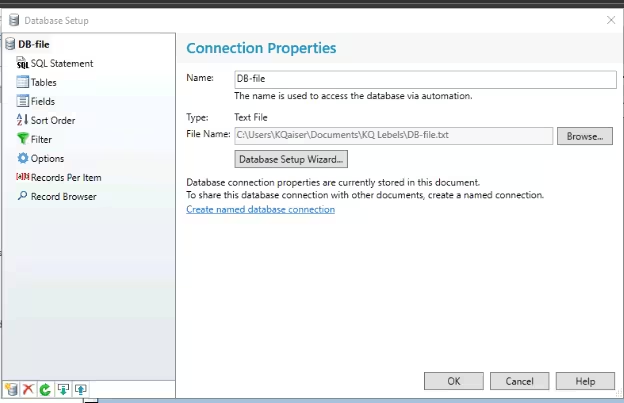
In high-volume manufacturing and warehouse environments, ERP systems (such as Dynamics 365 F&O) communicate with BarTender using automated trigger files (such as .dd print command files).
A .dd file is a standardized text payload containing printer commands, template paths, and variable key-value pairs:
%BTW% /AF="C:\Labels\PalletLabel.btw" /D="%%" /PRN="Zebra_ZT410" /R=3 /P /DD
%END%
ItemNumber,LotNumber,Quantity,ExpiryDate
"ITEM-98421","LOT-2024-X","500","2026-12-31" 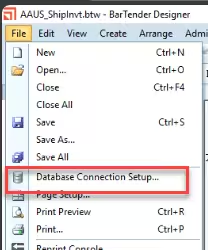
Enterprise Integration Architecture
The end-to-end integration flow orchestrates ERP transactions directly to physical thermal printer hardware:
Workflow Highlights:
- Warehouse Action: Mobile device scanner or desktop client confirms packing slip or palletization.
- File / REST Dispatch: D365FO X++ service generates dynamic
.ddfile or issues REST payload to BarTender print gateway. - Integration Spooling: BarTender Integration Builder validates schema, opens
.btwtemplate, merges payload, and outputs native printer code (ZPL/EPL). - Hardware Output: Target network printer generates compliant label instantly with zero human intervention.