- Non-Intrusive SSRS Customization: Extending standard document print layouts (Project Invoice Proposal) without overlayering.
- Temporary Table Extension: Adding custom fields like
ServiceDateto the report buffer tablePSAProjInvoiceTmp. - Data Provider Interception: Implementing Chain of Command (CoC) on
PSAProjInvoiceDP.initFromProjProposalItem. - SSRS Design Duplication: Creating custom precision designs in Visual Studio and restoring datasets to recognize new fields.
- Print Management Routing: Binding the customized design into Print Management for seamless invoice generation.

Overview: Project Invoice Proposal Customization
In this blog, we will customize the standard SSRS document print “Project Invoice Proposal” by adding the custom field Service date to it, along with performing cosmetic adjustments on the report design.
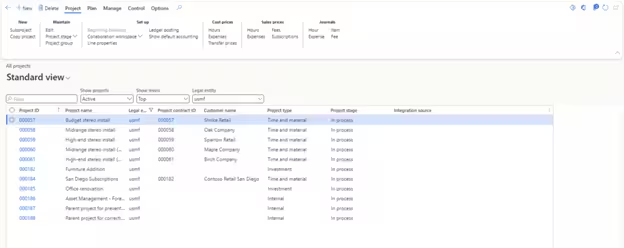
Navigation: Project management and accounting > Projects > All projects
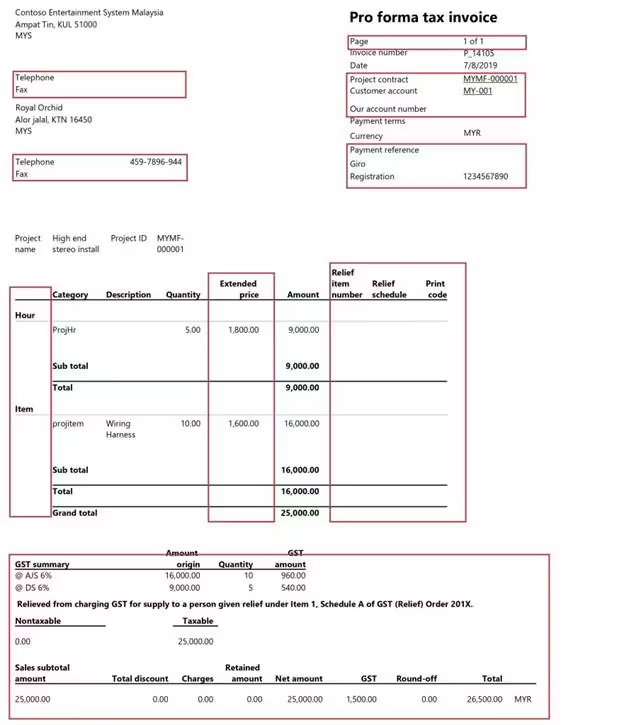
The screenshot below illustrates the default format of the report where we need to remove unwanted standard columns and add our custom Service date field:
“Extending SSRS reports via table extensions and Data Provider Chain of Command ensures your customizations remain 100% compliant with continuous Microsoft updates.”
Step 1: Extend PSAProjInvoiceTmp Table
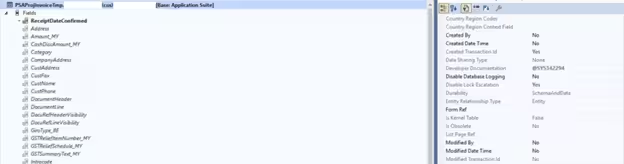
We will create an extension of the table PSAProjInvoiceTmp. This temporary table contains the dataset populated by the data provider and consumed by the SSRS report:
Step 2: Duplicate SSRS Report & Refresh Datasource
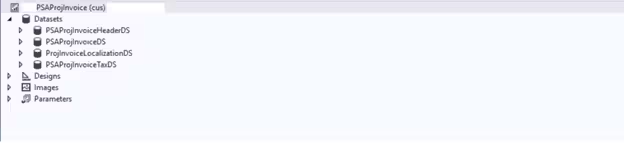
Duplicate the standard PSAProjInvoice report into your custom extension model. In the report designer, right-click the dataset and select Restore to refresh the schema and expose the new ServiceDate field:
Step 3: Chain of Command on Data Provider (DP) Class
Create a Chain of Command (CoC) extension of the initFromProjProposalItem method in the PSAProjInvoiceDP class to populate the custom field:
[ExtensionOf(classStr(PSAProjInvoiceDP))]
internal final class MDPSAProjInvoiceDP_Extension
{
    protected void initFromProjProposalItem(PSAProjProposalItem _projProposalItem)
    {
        next initFromProjProposalItem(_projProposalItem);

        psaProjInvoiceTmp.ServiceDate = _projProposalItem.ServiceDate;
    }
}
Step 4: Customize SSRS Layout & Final Output
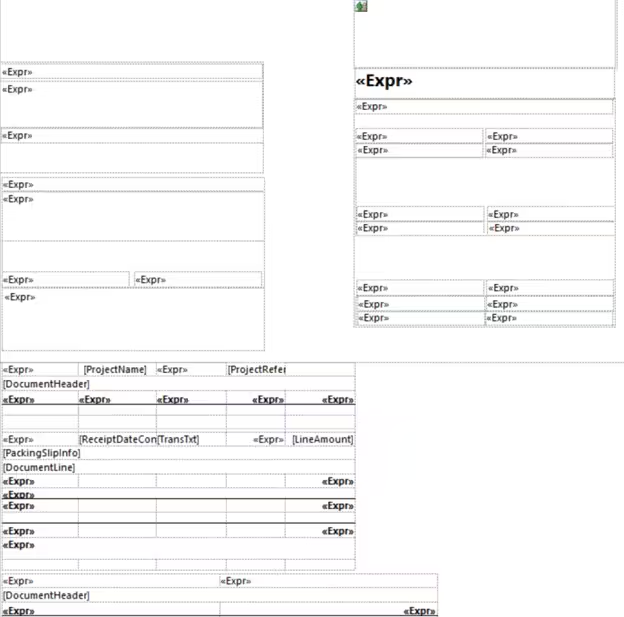
Open the custom SSRS report precision design. Drag the ServiceDate field into the table row and remove any unnecessary standard columns:
Final Output: Build your solution, deploy the report to the SSRS server, and print a Project Invoice Proposal. The document reflects your custom column formatting and service dates: