- Official Brand Assets: Accessing authentic, high-resolution SVG icons directly from Microsoft Learn documentation portals.
- Architecture Diagram Standardization: Elevating solution architecture blueprints, functional designs, and Visio decks with current branding.
- Dynamics 365 Library: Downloading icon sets for Finance, Supply Chain, Sales, Customer Service, and Business Central.
- Power Platform Library: Accessing badges for Power Apps, Power Automate, Power BI, Power Pages, and Copilot Studio.
- Usage Guidelines: Adhering to Microsoft brand licensing rules for non-commercial architectural diagrams and client presentations.
Overview: Architecture Diagram Essentials
Microsoft icons are indispensable graphic assets for solution architects, developers, and consultants when authoring architectural blueprints, Visio network flows, training presentations, and client technical documentation.
Using official, scalable SVG assets ensures diagrams reflect current Microsoft product branding without pixelation or outdated logos.
“High-quality architecture diagrams bridge technical rigor with executive clarity. Standardized SVG icons ensure your technical artifacts meet enterprise presentation standards.”
Accessing Microsoft Dynamics 365 Icons
Follow these simple steps to retrieve the official Dynamics 365 SVG package:
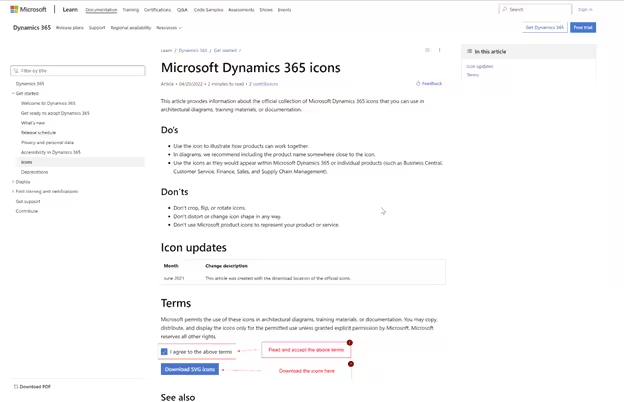
- Navigate to Portal: Open Microsoft Learn’s official icon repository page.
- Review Terms: Review Microsoft’s icon terms of use for architectural illustrations.
- Download Package: Click the Download SVG icons button:

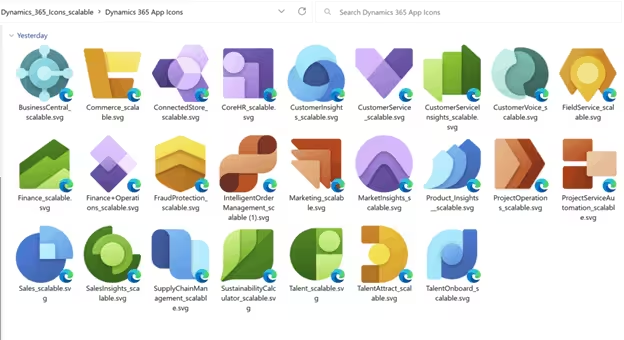
Extract the downloaded ZIP archive. The folder provides organized SVG files for all D365 apps:
Accessing Microsoft Power Platform Icons
Similarly, to acquire official Power Platform assets (Power Apps, Power Automate, Power BI, Power Pages, and Dataverse):
- Open the Microsoft Learn Power Platform icons portal.
- Click Download SVG icons.
- Extract the package to access clean, vector-rendered branding assets for your automation diagrams.