
- Configurable Output Routing: Electronic Reporting allows routing generated Excel, XML, or PDF files to multiple output channels.
- Supported Destination Types: Downloading as a file, rendering on screen, sending via email, archiving to SharePoint, or printing to network printers.
- Component-Level Targeting: Binding destination settings specifically to the root format or individual child folder/file components.
- Centralized Administration: Configuring rules under
Electronic reporting destinationwithout modifying format designs. - Automated Execution: Ensuring business users receive generated invoices and statements automatically via their preferred channel.

Overview: Electronic Reporting Destinations
In Dynamics 365 Finance & Operations, each Electronic Report format generates output files in formats such as Excel, PDF, or XML. Rather than requiring users to manually download and dispatch these files, the Electronic reporting destination framework allows administrators to route files automatically to specific destinations based on organizational needs.
“Configuring ER destinations decouples document generation from distribution, allowing automated emailing, SharePoint archiving, or direct printing without altering format templates.”
Accessing Destination Settings
Open Organization administration > Workspaces > Electronic reporting, and select the Electronic reporting destination tile:
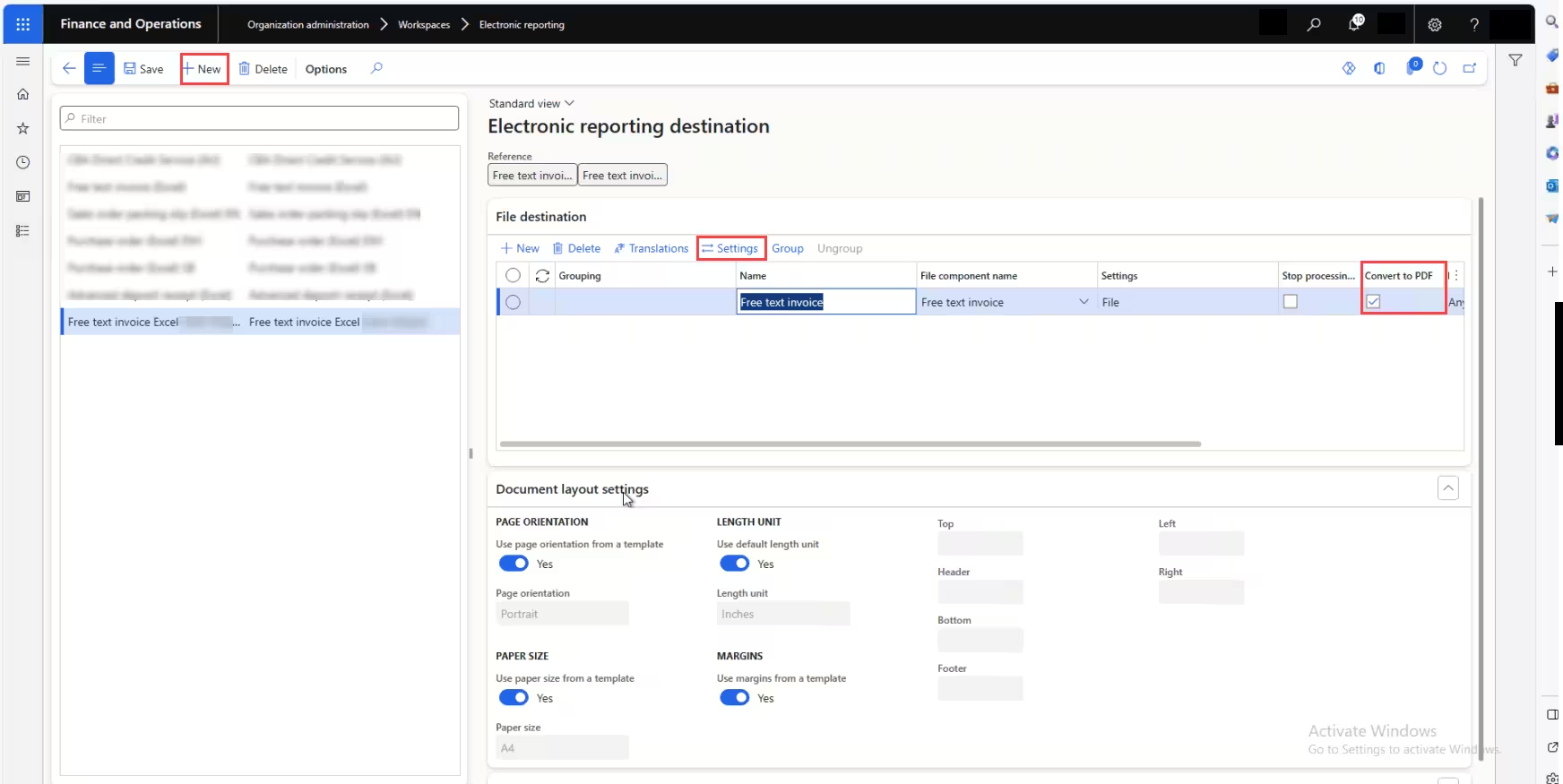
Configuring File Destination Rules
Click New to establish a destination rule for your format (in our example, Free Text Invoice Excel). Select your format configuration from the dropdown and configure individual file component settings:
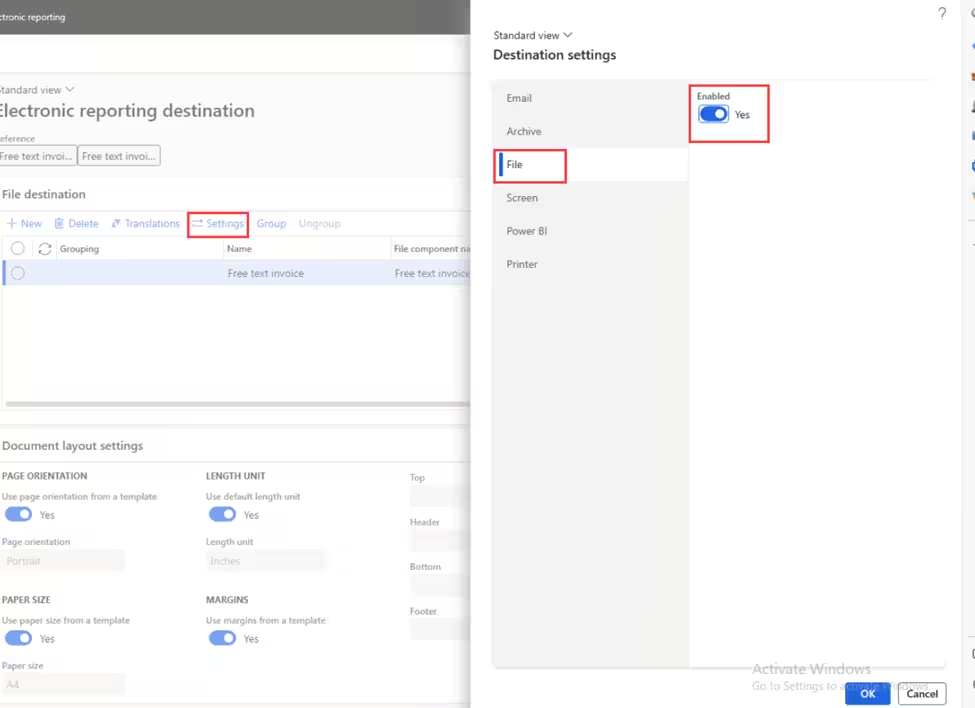
Click Settings to open the Destination settings dialog. Here you can enable and configure:
- File: Download the file directly in the browser or save it to an Azure file share.
- Screen: Preview the document directly on the user's screen before saving.
- Email: Automatically attach the generated report to an outgoing email with dynamic recipient tokens.
- Archive / SharePoint: Automatically save copies to a designated SharePoint document library.